PC and mouse
Start with a sensitivity that lets you turn without lifting constantly, then lower it if small corrections overshoot. Keep one weapon route while testing.
Controls and aim
There is no single best Hypershot sensitivity. Use these starting points to isolate an aim, layout, or platform problem without changing every setting at once.
Start with a sensitivity that lets you turn without lifting constantly, then lower it if small corrections overshoot. Keep one weapon route while testing.
Make the fire, aim, movement, and ability controls reachable without covering the sightline. Test aim assist and auto-fire separately from sensitivity.
Confirm the ability buttons after updates, then tune look and ADS sensitivity independently. A layout change can feel like an aim problem.
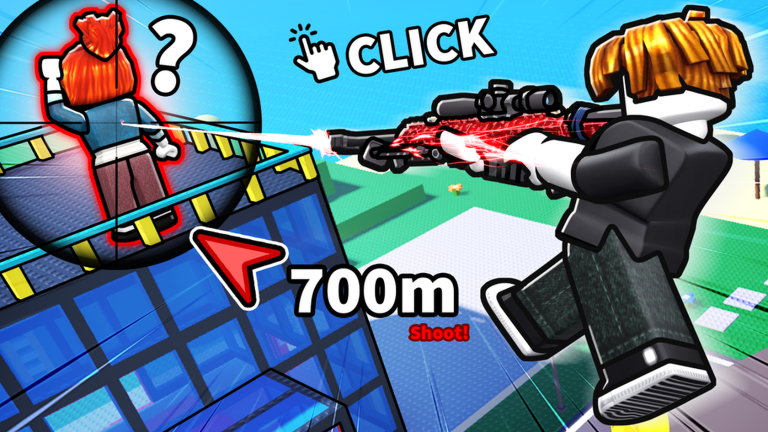
Tune the input, not the myth
Settings are personal because the input device changes the problem. A mouse gives you direct control over small corrections, while a controller asks you to balance turning speed with stick precision. Mobile players also need to fit movement, fire, aim, and abilities into a limited touch layout. That means a setting copied from another player is only a starting point, not a promise that your aim will improve.
Begin with the setting that matches the symptom. If your crosshair flies past a target, lower ADS sensitivity before changing everything else. If you cannot turn quickly enough to survive a flank, raise general look sensitivity in a small step. If abilities are hard to reach, change the layout before blaming aim assist. A controller player who suddenly feels worse after an update should first confirm whether the ability buttons or default layout moved.
Use a repeatable test. Keep the same weapon, play a few fights at the same distance, and change only one value. The community has suggested ADS 1.00 for some sniper problems, but that is best treated as a troubleshooting baseline rather than the best setting for every device. Record the old value so you can revert quickly, then judge the result by whether you track, stop, and reset more consistently.
Aim assist and cross-platform balance are sensitive topics in the community. Different players can describe the same fight differently depending on device, connection, and matchmaking. When reporting a problem, include platform, controller or touch state, sensitivity, aim-assist state, weapon, and the exact behavior. That produces better evidence than saying the game simply feels unfair.
Do not tune settings while changing your loadout at the same time. A sniper naturally exposes small aim errors, while an SMG asks you to turn and track through movement. If you swap weapons and sensitivity together, the result will be impossible to interpret. Keep the test simple, return to the old value when it feels worse, and only keep a change that improves several ordinary fights.
Comfort is part of performance. A mobile layout that looks clean in the menu may hide the target during a real fight. A controller layout that is fast for one ability may make reloads or jumps awkward. Use a short warm-up to check the complete loop: move, turn, aim, fire, reload, use an ability, and escape. The best setup is the one that keeps those actions available when pressure starts.
Save a screenshot or note of the settings that worked before you experiment. That gives you a reliable reset point after an update or an accidental change. Settings should reduce friction, not become another endless grind. Once your controls feel stable, move back to weapon and route decisions so you can judge the whole play experience instead of chasing a number that looks perfect on someone else's screen.
One-variable test
Use the same weapon, map type, and fight distance for a few matches. Change general look sensitivity, ADS sensitivity, aim assist, or button layout one at a time. Otherwise you cannot tell which change helped.
Aim
Can you track without overcorrecting?
Movement
Can you turn and escape without losing control?
Access
Can you reach abilities without covering aim?
Lower ADS sensitivity first and play several fights before touching general look sensitivity.
A community troubleshooting thread points to ADS sensitivity 1.00 as a starting point, not a universal best value.
Reopen the control layout after an update and verify each ability button instead of relying on old muscle memory.
Players disagree about aim assist and cross-platform balance. That is a useful signal for testing, not proof of a universal setting or matchmaking rule. Record your platform and the exact control state when reporting a problem.